
Free AI Image Editor
Upload a photo and describe the change in plain words. Swap backgrounds, recolor objects, change the style — no layers, no masks, no learning curve.
Edited with Qwen Image Edit 2509
Photo editing, minus the software
Upload
Drag in any photo or illustration — yours or one you generated on HelloGen.
Say the change
One instruction at a time works best: “remove the background”, “make the jacket blue”.
Download
The model edits only what you asked for and keeps the rest of the image intact.
Real edits from one-line instructions
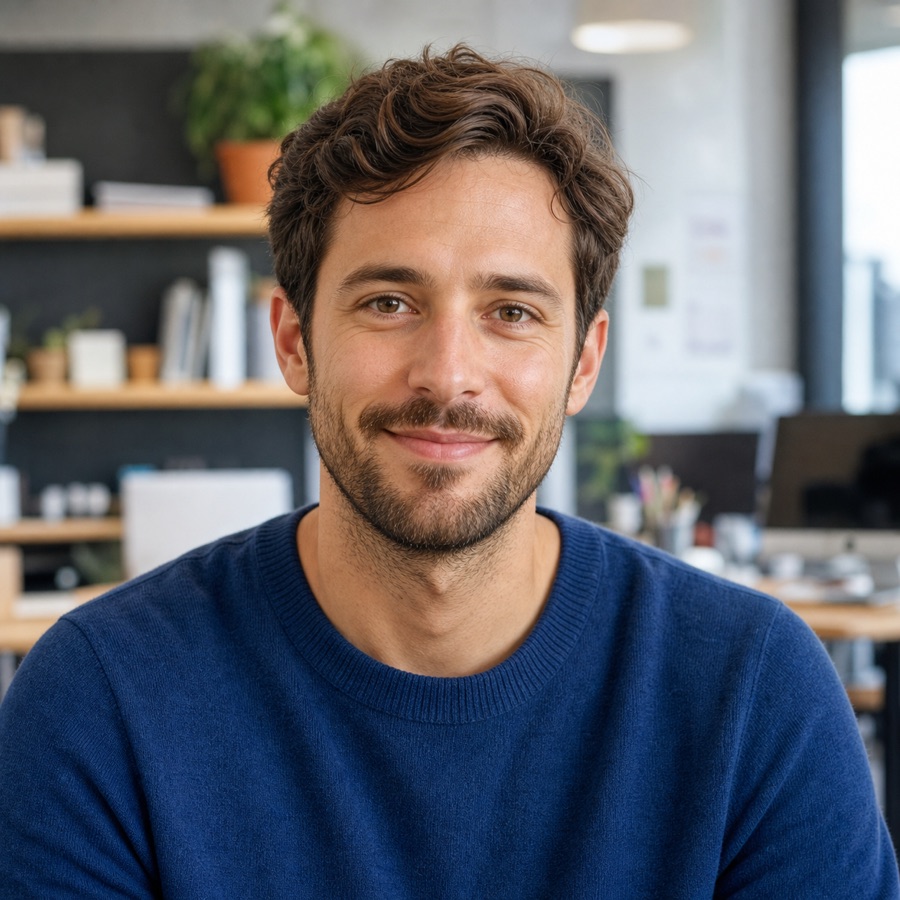 Before
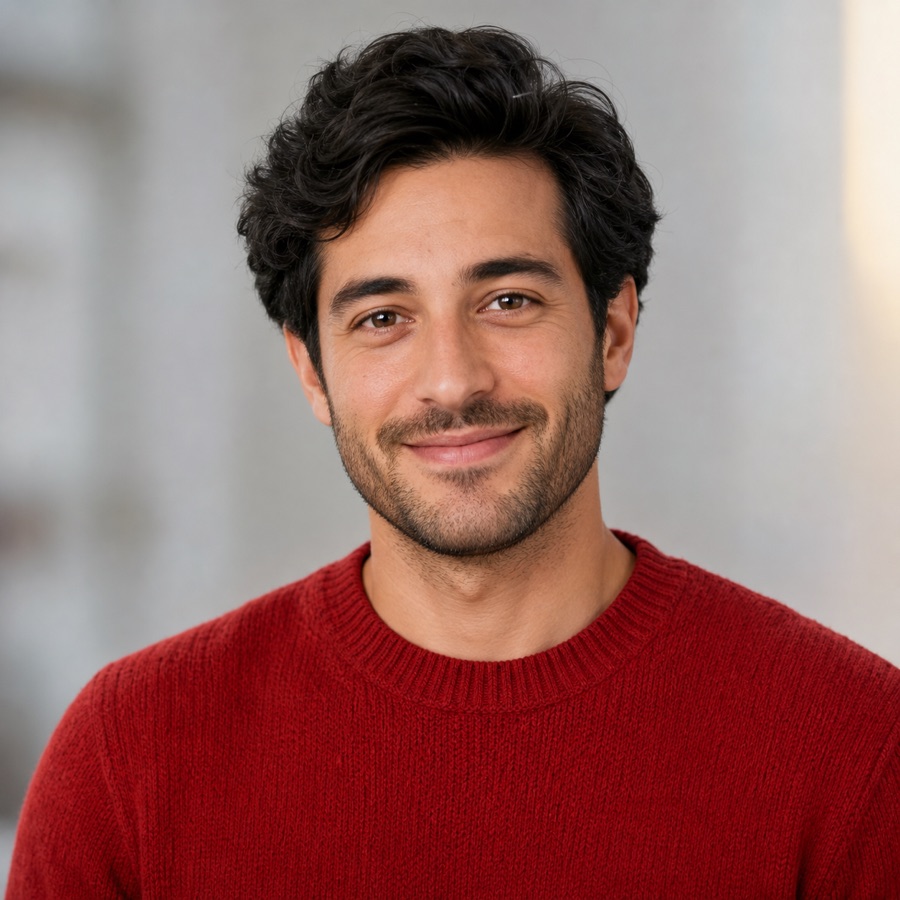 After
After“Change the sweater to red and soften the background”
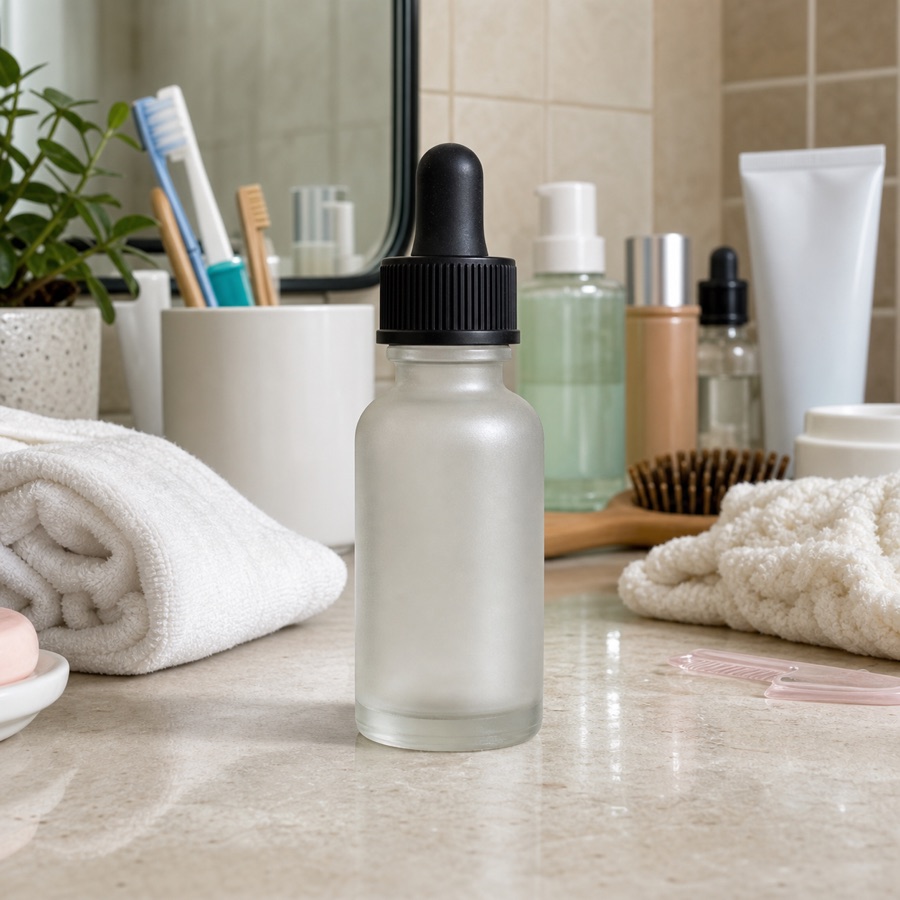 Before
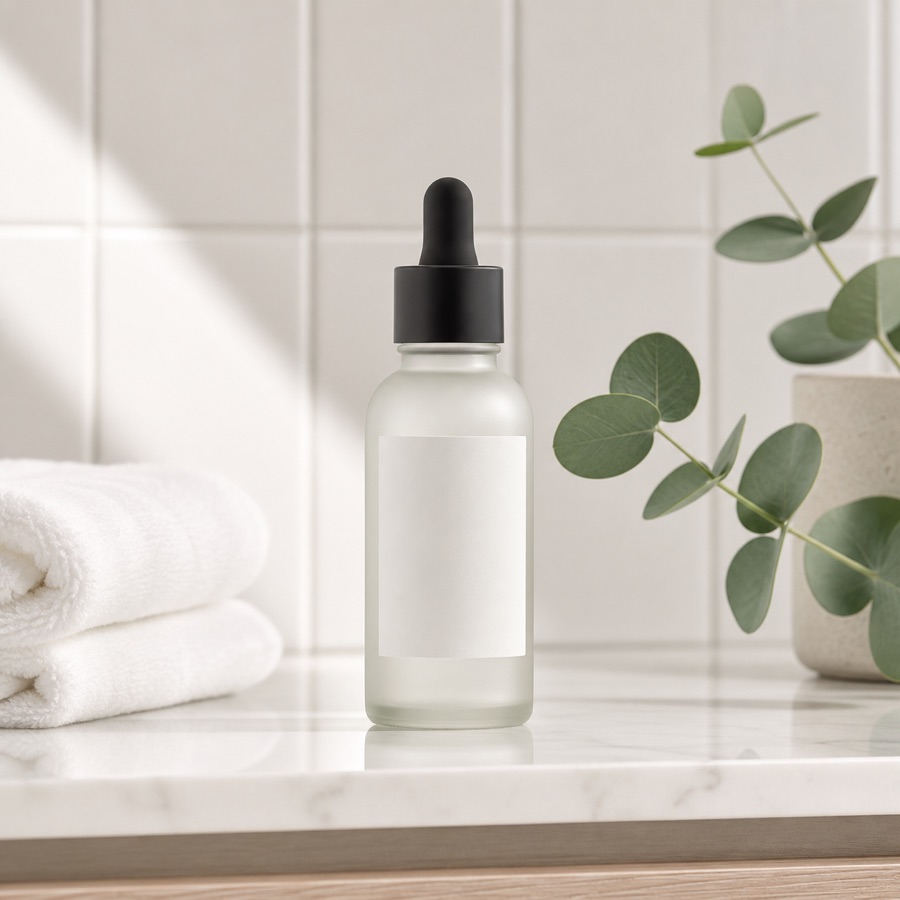 After
After“Remove the clutter and make it a clean product shot”
Image editor FAQ
What kind of edits can the AI make?
Background replacement or removal, color and material changes, style transfer (e.g. photo to watercolor), adding or removing objects, lighting changes and text edits inside images.
Will it change parts of the image I didn’t mention?
Qwen Image Edit is built for targeted edits: it modifies what your instruction describes and preserves the rest, including faces, as closely as possible.
What image formats and sizes work?
PNG, JPG and WebP work. Very large images are resized before editing; the result is returned at a comparable resolution.
Are my uploaded photos stored?
Uploads are processed to produce your edit and deleted after a short period used for abuse prevention. They are never used for advertising or model training.
Need a brand-new image instead?
The HelloGen generator turns a text prompt into a fresh image in seconds — free, and unlimited with an account.
✦ Open the Image Generator