
MiniMax H3 Speaking Gibberish? Why It Happens and How to Fix It
You wrote a line for your character. The clip comes back, the lips move, the voice sounds like a person — and none of it is words. Or the line is right but the first half-second is a garbled blip, or the character keeps talking after the line ends. This is the single most common complaint about MiniMax H3’s native audio, and in most cases it is not the model failing. It is the prompt not speaking the model’s dialogue syntax.
✦ Try MiniMax H3 Unlimited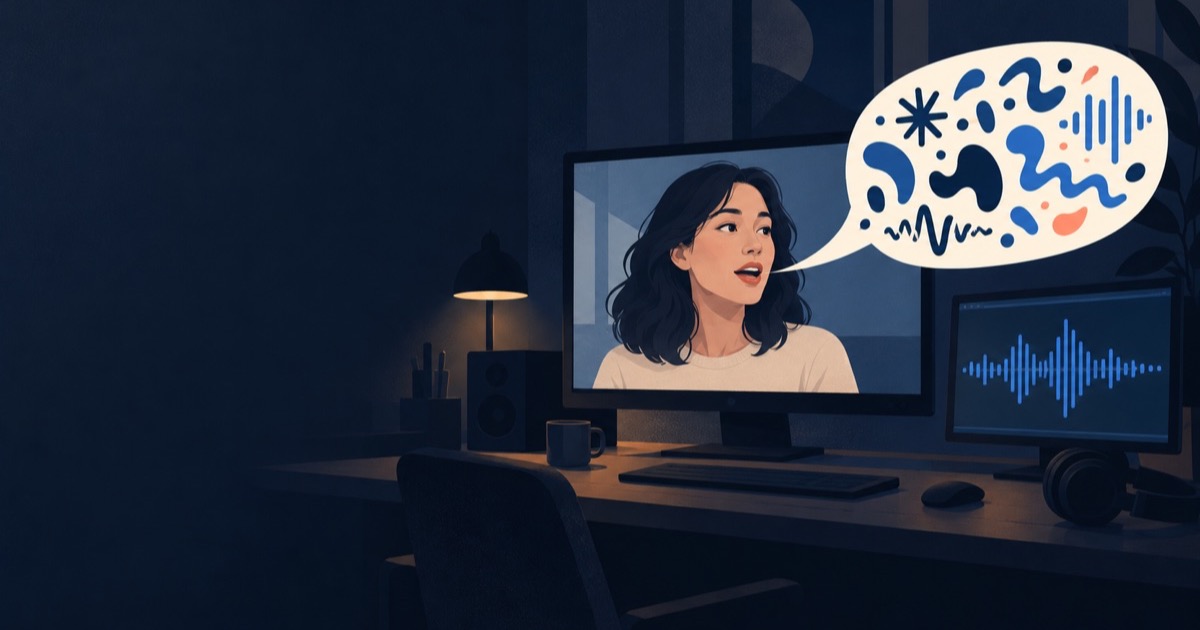
What “gibberish” looks like on H3
H3 renders the picture and a synchronised stereo soundtrack in one pass, so when the speech goes wrong it goes wrong convincingly: the timing, breathing and mouth shapes are all there, and the words are not. Users report it in five recognisable shapes, and it helps to know which one you have, because they have different fixes.
The pattern was clear within weeks of launch. One early tester summed it up: prompts “without explicit dialogue sometimes produce gibberish”, while writing out exactly what each character says, when and how, “nails not just the speech, but the details like tone, ambience, and timing too” (cocktailpeanut on X). A Hugging Face discussion opened on August 12 collects a dozen users hitting the same burst of noise at the start of a clip, and Reddit round-ups list “adding speech when none was requested”, “assigning dialogue to the wrong person” and “filling unused audio space with gibberish” (Leadde’s summary).
| Symptom | What you hear |
|---|---|
| Mumbled line | Speech-like sounds with the rhythm of your line, but not its words. |
| Start-of-clip blip | About half a second of garble before the real line begins. |
| Filler talk | The line is right, then the character keeps going with invented words. |
| Directions read aloud | The voice says your stage direction (“warm, confident voice…”) as if it were dialogue. |
| Wrong speaker | Your line comes out of the other character’s mouth. |
The cause: H3 has its own dialogue markers, and prose skips them
H3 was trained with dedicated tokens that open and close a spoken line — written <d> and </d>. Words inside them are treated as a script to be spoken verbatim. Words outside them are description. So when a prompt says “she says she just got the cup and loves it”, the model reads a description of someone talking and produces exactly that: someone talking, with the phonemes improvised. It sounds like speech because it is modelled on speech; it is not words because no words were handed to it.
We measured this on our own H3 setup by changing nothing but how one line was written — same seed, same settings — and transcribing the result with Whisper rather than judging by ear. The line was Chinese, which is the language our test clip used; the effect does not depend on it.
| How the line was written | What speech recognition heard |
|---|---|
| Prose: 她说自己刚收到这个杯子、真的太喜欢了 (“she says she just got this cup and really loves it”) | Wrong noun (“clothes” for “cup”), two inserted syllables, first word swallowed |
| Tagged: (S1) says: <d>[中文] 我刚收到这个杯子,真的太喜欢了。</d> (“I just got this cup, I really love it.”) | The line, word for word |
The official dialogue syntax, piece by piece
MiniMax published the rules in its own prompt-writing skill (h3-prompt-writing on GitHub), released around August 10, 2026. The key sentence: put “the speaker’s identifying phrase, ID, action, and delivery outside <d>. Inside <d>, include only the language tag and the actual user-provided spoken content.” Their own example reads: The young woman with a quiet, breathy voice (S1) says: <d>[English] I get off at the next station.</d>
The order is fixed, and each part does a job. Leave one out and you get one of the symptoms above.
| Part | Example | What it prevents |
|---|---|---|
| Voice anchor | The young woman with a quiet, breathy voice | A voice that changes between shots. Give age, pitch, timbre and pace the first time a speaker talks. |
| Speaker ID | (S1) | Wrong speaker. Each character keeps one ID across every shot; (S1,S2) for a line said together. |
| Verb | says: | Ambiguity about whether this is speech, singing or voice-over. |
| Open marker + language | <d>[English] | Mumbled lines. The language tag goes just inside the marker. |
| The line, verbatim | I get off at the next station. | Paraphrase. Never translate or rewrite it; keep the punctuation. |
| Close marker | </d> | Filler talk running past the end of the line. |
Seven fixes, matched to the symptom
Work down this list in order. The first two cover most clips; the last one is a known model quirk rather than a prompt problem.
Two of these came from our own runs and are easy to miss. Anything written right after </d> is read as a continuation of the line: we put a voice description after the closing marker once and the clip spoke it aloud, word for word. And a short line in a long clip invites filler: give a 15-second clip one 5-second line and the model looks for something to say in the other ten, often grabbing nearby words from the prompt. Either write enough lines to fill the time, or say plainly which seconds are silent.
| Symptom | Usual cause | Fix |
|---|---|---|
| Mumbled line | Line written as prose or in plain quotes | Wrap it: (S1) says: <d>[English] … </d> |
| Directions read aloud | Voice or action text placed after </d> | Move the voice anchor and action BEFORE “says:”, or start a new timed beat. |
| Filler talk | Line far shorter than the clip, or no sound described | Add lines, or write “0:11–0:15 she stops talking and just looks at the camera”. Describe the ambient sound so silence is not empty. |
| Wrong speaker | No speaker IDs, or two faces talking in one shot | Give every speaking character a stable (S1)/(S2). One speaker per shot, facing the camera. |
| Lip-sync drifts | Line spoken while the face is turned away or small in frame | Speak face-first with the mouth visible; let the action follow in silence. |
| Words changed | Line translated or reworded, or language tag mismatched | Keep the line exactly as you want it heard, with a matching [English] / [中文] tag. |
| Start-of-clip blip | Seed-dependent model quirk | End the line with a period inside the markers, describe the ambient sound, keep any voice reference to about 4 s — then try another seed. |
Before and after: one prompt, rewritten
A typical first attempt for a short product clip, and the same idea in H3’s own form. Nothing about WHAT happens changed — only how the line, the speaker and the silence are written.
Before: A young woman in a cream sweater sits at her desk, holds up a ceramic mug and happily tells the camera she just got it and loves how it feels, then takes a sip.
After: [Shot 1] Live-action, a waist-up shot of a woman in her mid-twenties in a cream knit sweater at a sunlit desk, facing the camera. She lifts a matte ceramic mug to chest height and, in a bright, unhurried mid-range voice, (S1) says: <d>[English] I just got this mug, and I love how it feels.</d> [Shot 2] At 00:04.000, a close-up of her hands turning the mug; she takes a slow sip, silently, and smiles at the lens. Ambient sound: a quiet room, the soft knock of ceramic on wood, one sip. No background music.
Note what the rewrite does NOT do: it adds no line she never said. If your prompt has no dialogue, the honest fix is to say so (“no dialogue”), not to invent some.
Tags or plain quotes? The community is split
You will find people who say the opposite of the above. A side-by-side test posted to r/StableDiffusion found plain quoted dialogue cleaner than the tagged form, and one commenter called quotes “not nearly as buggy as the <d></d> tagging” (AIReiter’s write-up). In the Hugging Face thread, one user stopped the start-of-clip blips by switching to quotes; several others found that unreliable and seed-dependent.
Our reading: the markers are the path the model was trained on, the official skill prescribes them, and in our controlled test they were the difference between words and noise. Start with <d> tags. If one specific clip keeps garbling, re-run that line in plain quotes before rewriting the whole prompt — and change only one thing at a time, or you will not know which one helped.
Or press ✦ Enhance and let it write the syntax
Remembering where the speaker ID goes, which language tag to use and that nothing may follow the closing marker is exactly the kind of bookkeeping a tool should do. HelloGen’s video composer has a ✦ Enhance button that rewrites your prompt for the model you picked — and for MiniMax H3 it works from the same H3 prompt guide described on this page, dialogue rules included.
Write the idea the way you would say it — “she tells the camera ‘I just got this mug, and I love how it feels’” — and Enhance puts the line inside H3’s markers with a speaker ID, a language tag and a voice description placed before “says:”, and writes the shots and ambient sound around it. Three promises it keeps: your words stay word for word, it never adds a line you did not write, and when the text and your reference picture disagree, your text wins. Switch to another model and it uses that model’s own dialogue convention instead of H3’s.
Enhancing costs 2 credits and is charged only when it succeeds; if it fails, your prompt is untouched. “Show original” is one click away, so you can compare before you generate. And on HelloGen, MiniMax H3 Unlimited is included on the Pro and Max plans at 0 credits per clip — so the try, listen and adjust loop that fixing dialogue needs does not cost you per attempt.
Sources
- MiniMax-H3 skills on GitHub — the official h3-prompt-writing skill and its English references, for the <d> syntax, speaker IDs, language tags and the voice-over rule.
- Hugging Face: “Weird gibberish / clipped voice at the very start of H3 videos” — the start-of-clip blip and the community workarounds.
- cocktailpeanut on X — the early report that explicit dialogue fixes the speech.
- Leadde: MiniMax H3 Reddit review and AIReiter: MiniMax H3 prompt review — summaries of the Reddit reports, including the tags-versus-quotes test.
- The Whisper-transcribed comparison and the two “after </d>” and “short line” findings are HelloGen’s own runs on H3, September 2026.
For running the model yourself, see our MiniMax H3 local setup guide.
Frequently asked
Why does MiniMax H3 produce gibberish speech?
Usually because the line was written as prose or plain description. H3 was trained with dedicated dialogue markers, <d> and </d>; words inside them are spoken verbatim, words outside are treated as description, so the model improvises speech-like sounds instead of saying your line.
What is the correct dialogue format for MiniMax H3?
Voice description, speaker ID, verb, then the line inside the markers with a language tag — for example: The young woman with a quiet, breathy voice (S1) says: <d>[English] I get off at the next station.</d> Keep the same speaker ID for a character in every shot.
Why does H3 add speech I never wrote?
A short line in a long clip leaves seconds the model fills on its own, and text placed right after </d> is read as part of the line. Write enough dialogue to fill the clip or state which seconds are silent, describe the ambient sound, and keep every direction before “says:”.
How do I fix the garbled half-second at the start of an H3 clip?
It is a seed-dependent quirk with no official fix yet. Community workarounds: end the line with a period inside the markers, describe ambient sound so the track is not empty, keep voice references to about 4 seconds, and re-roll the seed. Plain quotes help some users.
Should I use <d> tags or plain quotes for H3 dialogue?
Start with <d> tags — they are the official, trained syntax and in our controlled test they turned noise into the exact line. If one clip keeps garbling, try that line in plain quotes and change nothing else.
Can a tool write the H3 dialogue syntax for me?
Yes. HelloGen’s ✦ Enhance rewrites your video prompt for the selected model; for H3 it wraps your lines in the dialogue markers with speaker IDs and language tags, keeps your words verbatim and never adds dialogue you did not write. It costs 2 credits and is only charged on success.
Keep reading
Ready to make it yours?
Describe it in your own words and see it in seconds.
✦ Try MiniMax H3 Unlimited